Permanent Case Deletion
Permanently deleting a Case in ClariNet is a rare action intended only for exceptional situations. If your goal is simply to remove a Case from search results and case lists, it’s faster and far safer to Archive it instead. Archiving takes only a moment and can be easily reversed, making it the preferred option in most situations
You may need to permanently delete a Case in ClariNet to fulfil a “right to be forgotten” request. A subscriber admin can do this using the DELETE CASE button on the Case page, shown below.

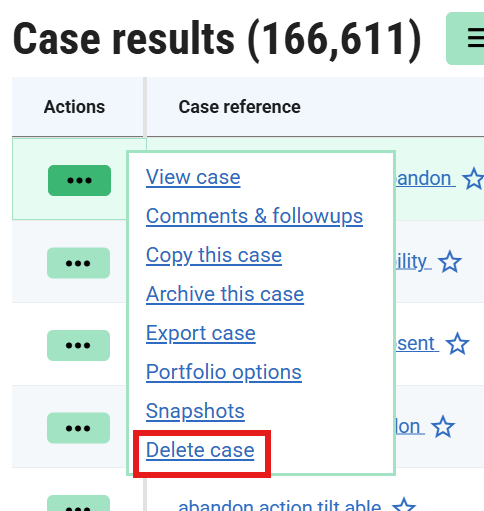
You can also access the same option from a search‑result case list, as shown here.
In both locations, you’ll be asked to confirm that you want to begin the deletion process. This process includes several deliberate checkpoints to ensure you genuinely intend to delete the Case. Permanent deletion potentially removes all data associated with the Case, and the action cannot be undone.
Below is an overview of the steps you’ll follow before the deletion is executed.
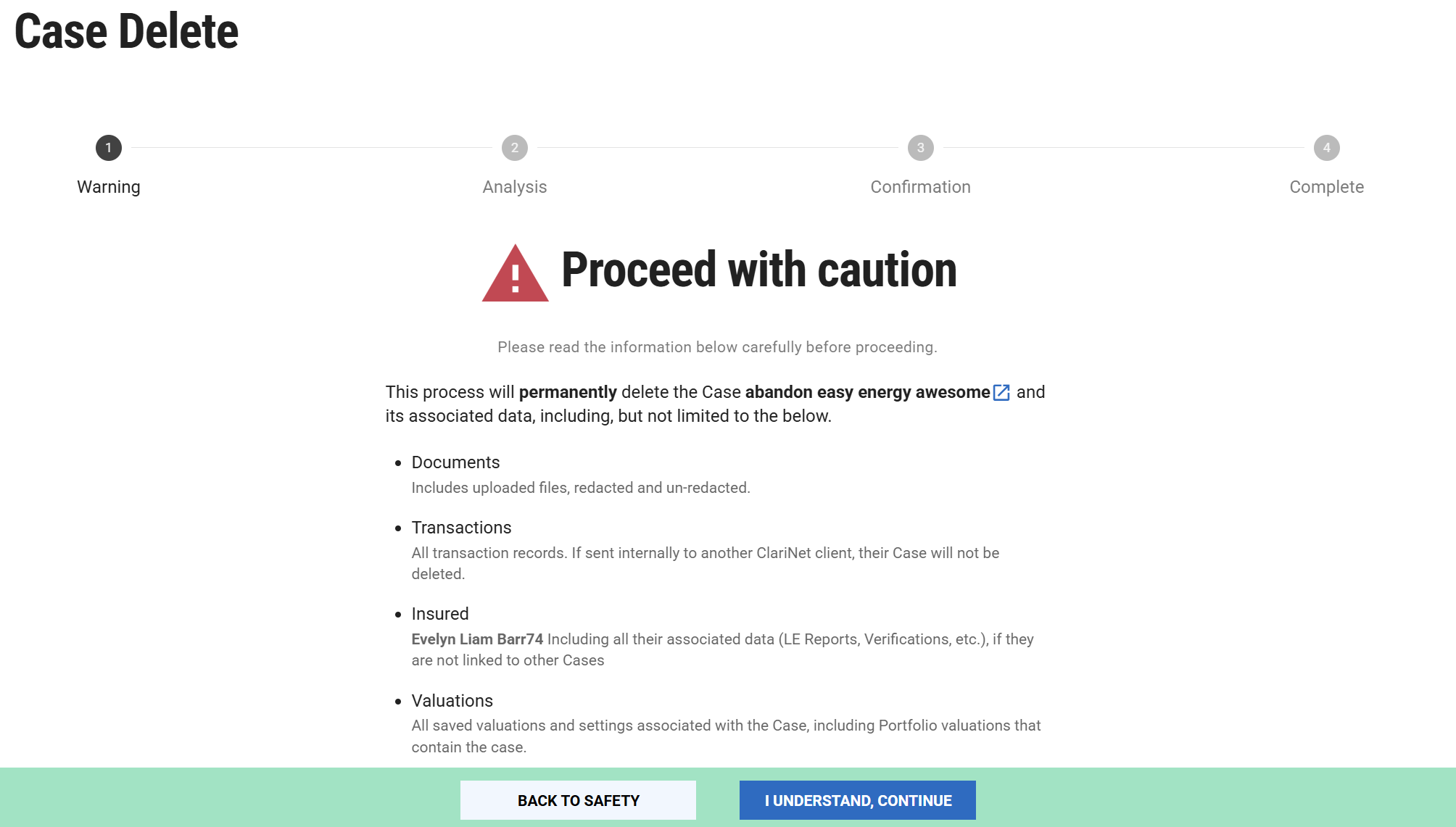
- Warning - The first page confirms the Case you’ve selected and reminds you of the types of data that may be deleted.
- Analysis - This step provides a detailed breakdown of what will be removed. It identifies whether the insured is linked to other Cases (which determines whether the insured record will also be deleted) and lists any Portfolio Valuations, Portfolio Submissions, or transactions that will be affected.
- Confirmation - This is your final opportunity to confirm the deletion. You’ll be required to provide a justification, which will be recorded in the Case Deletions log.
- Complete - This page confirms that the deletion request has been submitted. The deletion runs in the background and may take a few minutes. You can monitor progress from the Case Deletions log.
What information is deleted
Permanently deleting a Case removes at least the following:
- All comments directly attached to the Case
- Insureds attached to the Case, if they are not linked to any other Case
- All transaction information associated with the Case
- All documents attached to the Case
- All valuations attached to the Case
- All servicing information — including Policy Verifications, Grace Notices, Insured Verifications and LE Reports — where the related Insureds are deleted
- Any Portfolio valuations that include the Case
If you are fulfilling a “Right to be forgotten” request, remember that you can only remove information stored within your own ClariNet account. The following information may still exist elsewhere:
- Internal ClariNet transactions: Only your copy of the transaction is deleted. The counterparty retains their version of the Case, including any information you submitted to them.
- External transactions: The counterparty keeps any information they downloaded or received, including documents shared through the Document Verification feature
- Portfolio submissions: The counterparty retains their copy of the Case and all information it contained at the time of submission.
- Portfolio mirroring: The counterparty will continue to hold their mirrored copy of the Case.
Case deletions log
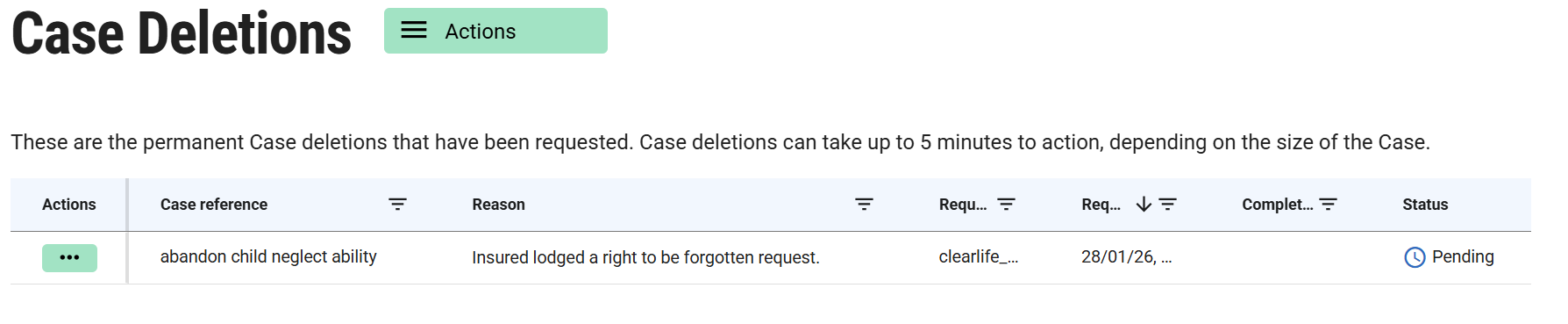
Permanent Case deletions are not included in the Audit log. The Case Deletions page is the sole record of these actions, showing the Case reference, the user who initiated the deletion, and the timestamp.
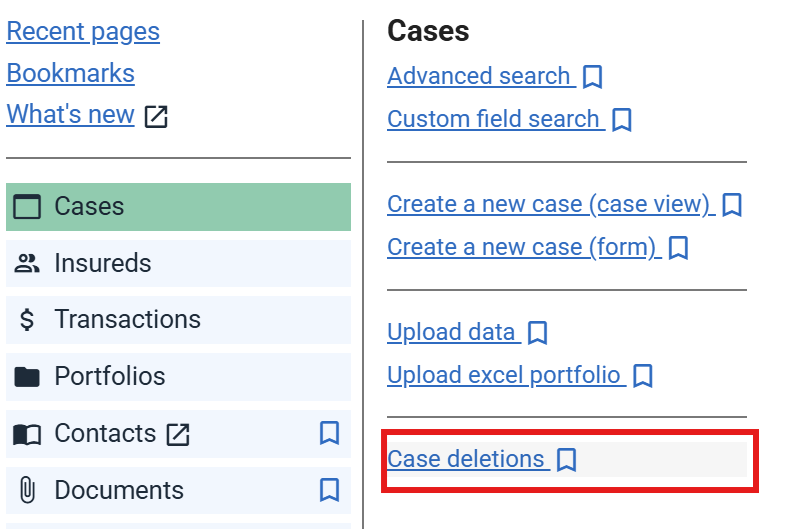
Permanent Case deletions are not recorded in the standard audit log. Instead, they appear on the Case Deletions page. Subscriber admins can access this page using the menu shown below.
You can also use this page to monitor the progress of a deletion. Case deletions run in the background because they may involve a substantial amount of work, depending on the size of the Case and the number of documents attached. As a result, the process may take several minutes to complete.