Dynamic IRR
Dynamic IRR (Internal Rate of Return) changes the calculation of the NPV (Net Present Value) so the IRR is calculated based on the face amount of the policy and the underwriter reports used in valuation, as opposed to using the standard setup which uses a fixed IRR defined in the valuation template.
Enabling
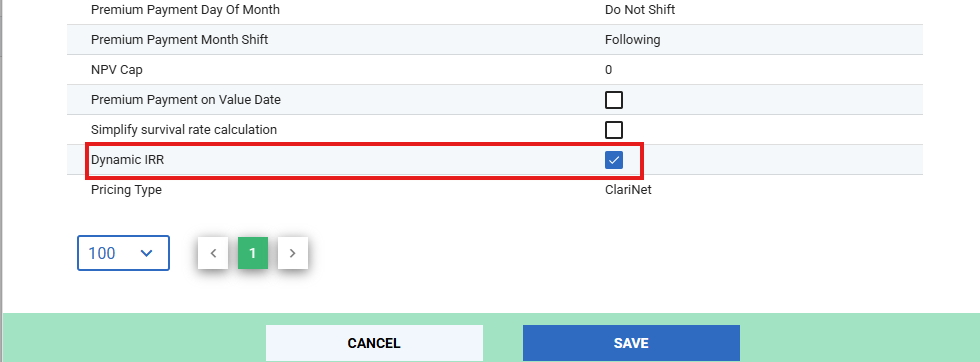
Dynamic IRR can be activated by setting the “Dynamic IRR” to true on the valuation template you wish to perform such a valuation with. You can do this from Settings → Pricing & Risk → Valuation Templates. Create a new valuation template, or select an existing one. Change the settings as below, and click save.
Configuring
In order to dynamically select the IRR for a Case, you need to provide the IRR levels to choose from. You can do that from Settings → Pricing & Risk → Dynamic IRR, as shown below.
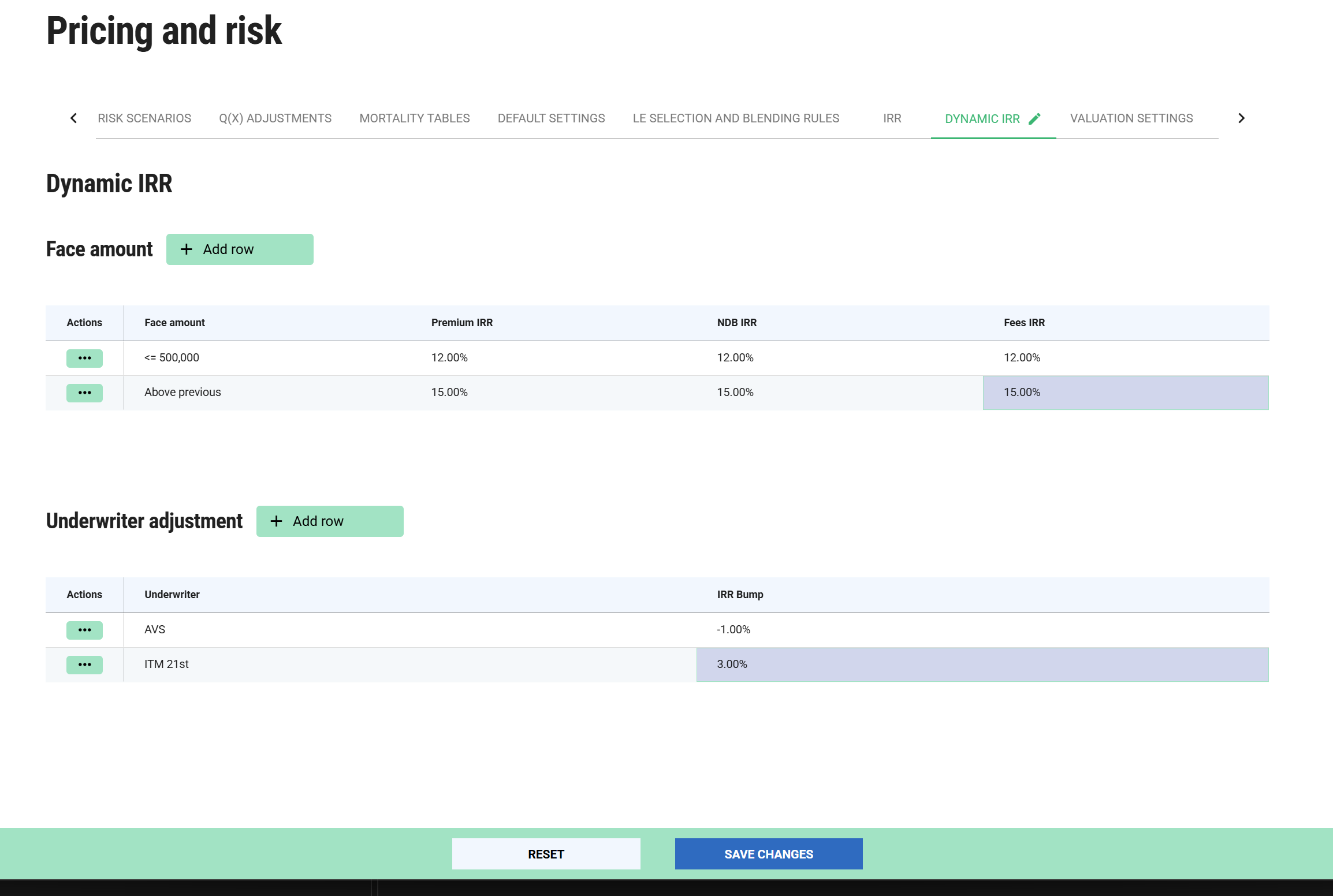
You must provide at least one face amount threshold, otherwise valuation will fail if Dynamic IRR is enabled. Underwriter adjustments are not mandatory; if an underwriter is encountered that does not have a bump defined, the bump will be zero.
How Dynamic IRR is Calculated
If the Dynamic IRR parameter is set to True, the system automatically adjusts the base IRR using a weighted average of the underwriters involved.
- Determine the Base IRR: The system looks up the case's Face Amount from the Dynamic IRR face amount table to establish the starting IRR.
- Apply Weighted Adjustments: For each underwriter report, the system multiplies that underwriter's specific adjustment value by their assigned weighting percentage.
- Calculate Final IRR: The weighted adjustments are summed together and added to (or subtracted from) the Base IRR.
Example
Scenario: A case has a face amount of $600,000 (giving it a Base IRR of 14).
Underwriters: For a given valuation, it features two reports with equal 50% weightings.
- AVS: Adjustment of -1 at 50% weighting (-1 * 0.5 = -0.5%)
- 21st: Adjustment of +3 at 50% weighting (3 * 0.5 = 1.5%)
Note if a Case uses Custom IRRs, the Custom IRR will be preferred over calculating a Dynamic IRR.
Checking IRR in Portfolio Valuations
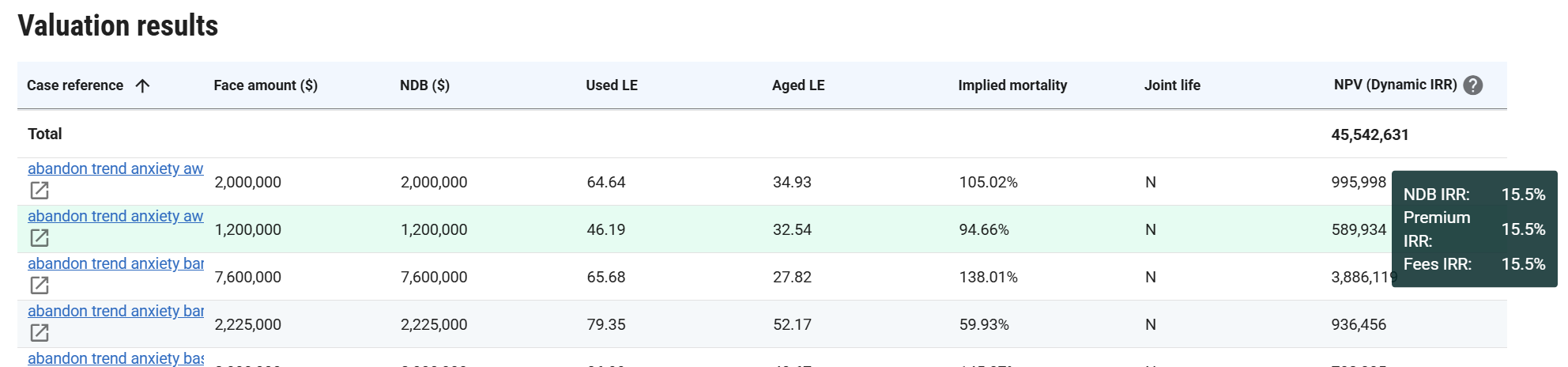
When running a Portfolio valuation using Dynamic IRR, the column heading will be NPV (Dynamic IRR) as opposed to the IRR level in a normal valuation, since this can vary on a case by case basis. To view the dynamic IRR level calculated for a case, hover over the NPV for that case and you will see a tooltip as below showing the level calculated.