Packages
Export template packages allow you to bundle multiple export templates into a single .zip file, saving you from running and collating multiple reports manually.
For example, if you want to generate a complete document set for every Case in a portfolio - such as a premium schedule and a listing of LE reports - or produce a batch of letters simultaneously for each Insured, packages streamline the process.
Creating a package
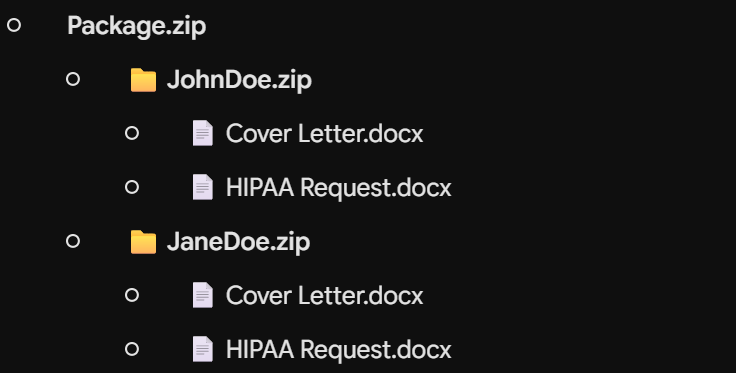
Suppose you want to produce one .zip file per Insured within a portfolio, containing two distinct letters.
- Create the individual templates as normal by going to Settings ➔ Export Templates and adding each template in turn.
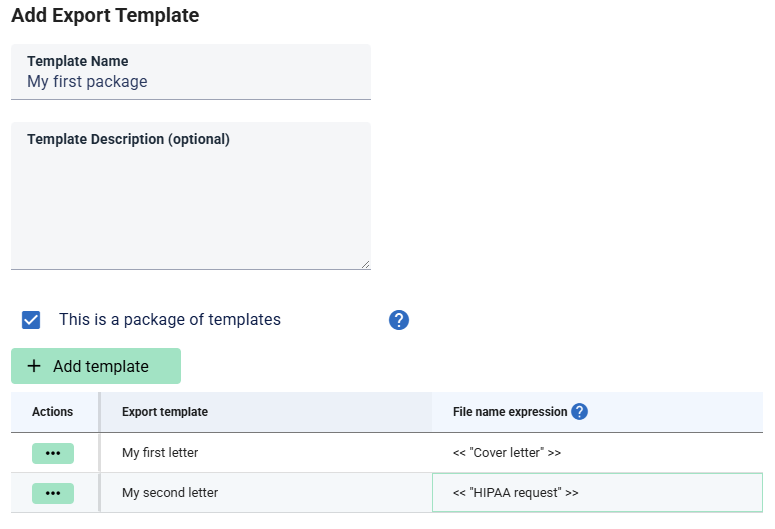
- Create the package: Once your child templates are in place, click Add again, but this time select the option “This is a package of templates”.
- Configure the bundle: A grid will appear below allowing you to select which export templates to run together.
- Set the file name expression: This dictates the name of the file generated inside the
.zipfor each grouping. For example, if you are running across a portfolio of cases and outputting one.zipper case, the archive might containCover letter.docxandHIPAA request.docx.Don’t include the extension here, this will be added automatically.
Alternatively, if you are running a set of cases where each template processes the entire collection at once rather than case-by-case, you will receive a single .zip output containing files such as Insured statistics.xlsx and Case statistics.xlsx.
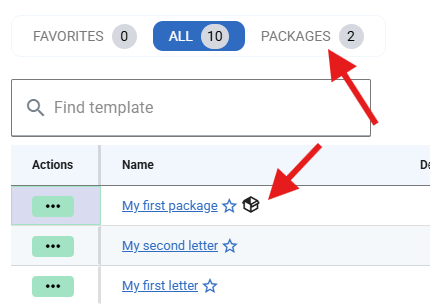
Once created, in the main list packages can be identified by the package icon next to the template name. You can also filter to only show packages using the tabs above the main list.
Parameters
Parameters cannot be defined at the package level, but individual child templates can still define their own. When you run a package, you will be prompted to supply all required parameters for each individual template.
Similarly, if multiple output formats are available for a particular child template, you will be asked to select the format for that specific template during the run.
Groupings
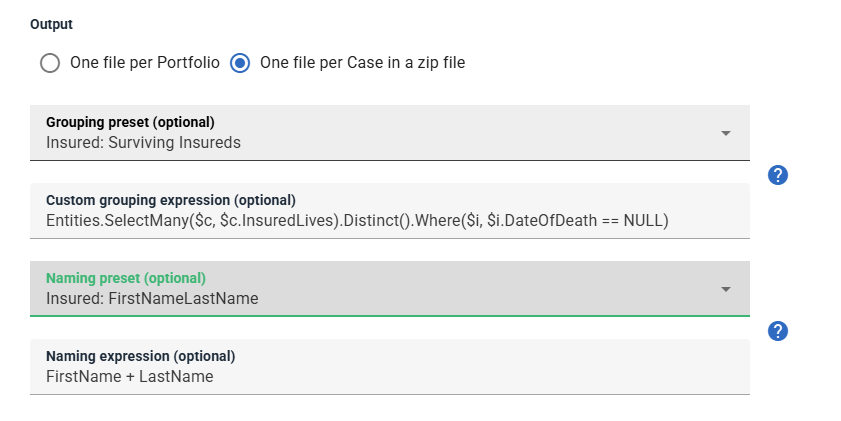
Groupings are defined at the package level and apply automatically to all child templates within the package. They determine the entity that the child templates operate on - such as, by default, the set of cases in a portfolio.
You can also use custom groupings to target specific subsets, such as all insureds within a portfolio or only surviving insureds.
In the example below, a preset instructs the report to iterate over surviving insureds within a set of cases and produce a multi-file output for each. It also configures the file names of each package using the insured's first and last name:
The output of a package that is run per Insured on a set of cases might be something like the below. Each letter will be customized to the particular insured.